Digital Health Lab Photobooth
Digital Health Lab Photobooth
When the Digital Health Lab asked our team at the Howest Cyber 3 Lab to put something at the entrance for the opening, we kept circling back to the same question: how do you make "healthy aging" feel personal?
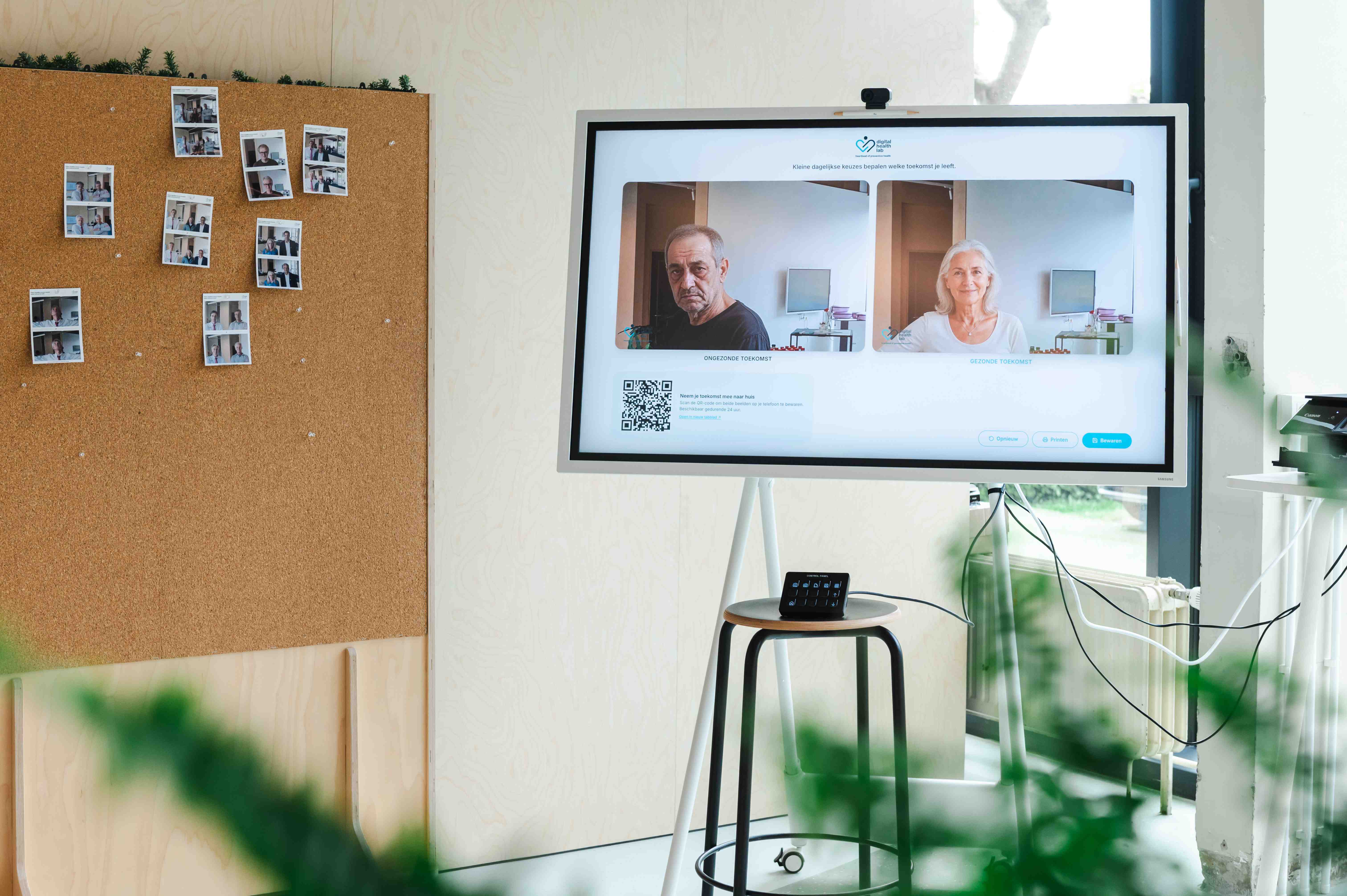
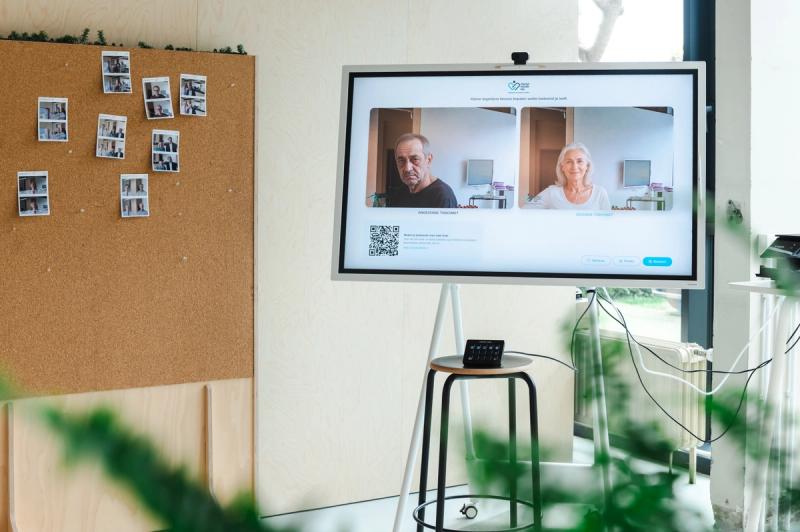
So we built a mirror that talks back. You stand in front of it, take a photo, and the installation shows you two versions of yourself in roughly thirty years: one shaped by a healthier life, one shaped by a less healthy one. Same face. Same eyes. Different futures.
Above the two portraits, the screen reads: Kleine dagelijkse keuzes bepalen welke toekomst je leeft. Small daily choices decide which future you live.
Main section
Quick facts
/
Built for the opening of the Digital Health Lab
/
Shows two AI-generated future-self portraits
/
Share, download, save, and print flows
The concept
The point was never to scare anyone. The research on health behaviour change is fairly unambiguous: fear-based messaging tends to bounce off, especially when the consequence feels far away. What does land is something more intimate: future self continuity, the feeling that the person you will be in three decades is still you, and that the choices you make on a Tuesday afternoon in your twenties or thirties actually reach that person.
That is what the booth is trying to do. Not lecture. Not diagnose. Just hand you a small, slightly uncomfortable moment of recognition. Wearing SPF, sleeping properly, moving more, drinking less: these are abstractions until you see them written into the skin around your own eyes.
We tuned the healthy version to read as clearly older but vital: present, alive, recognisably senior. Earlier iterations produced a face that read as "young person who happens to have wrinkles," which collapsed the contrast we needed. The unhealthy version was softened in the other direction; the goal was honesty, not caricature. The dual portrait only works if both futures feel plausible.
The flow
We wanted the visitor side to be effortless. The interaction is three beats:
- Take the photo. A live mirrored preview, a short countdown - five seconds when triggered from the Stream Deck - and a snapshot.
- Wait briefly. A short cinematic reveal where your captured frame de-blurs into the unhealthy future, then crossfades into the healthy one. The pacing is deliberate: about ten seconds total, enough to feel like a beat rather than a loading screen.
- Take it with you. A QR code appears alongside the two portraits. Scan, and the photos are on your phone: no app, no account, no sign-up. Printing the picture was also posible.
The reveal screen also auto-restarts after two minutes of inactivity, so the booth resets itself when someone walks away mid-visit. Important for an unattended kiosk in a busy foyer.
UI/UX: friendly, not clinical
The interface is deliberately quiet. White space, one accent colour borrowed from the lab identity and at most one primary action per screen. While the two portraits are being generated, a progress bar fills against an honest expected duration, and a rotating set of slightly absurd Dutch micro-copy keeps the wait warm rather than tense: Rimpels worden toegevoegd..., De zwaartekracht krijgt meer inspraak..., Pensioenmodus wordt geladen.... Humour is a research choice here, not decoration: a visitor who is laughing during the wait stays present long enough to see the reveal land.
Privacy
- The two generated portraits live in short-term storage for at most 24 hours behind an unguessable URL. After that, an automated daily job removes them. There is no database of faces, no per-visitor analytics.
- The QR code itself is the capability: it points at a randomised path and that path is the only key. No login, no email collection, no tracking.
- For the manual photo upload path, used when someone wants to bring an image from another device, the entire pipeline runs client-side: MIME check, magic-byte sniff, EXIF and GPS strip, re-encode through a canvas so any embedded location, device, timestamp, or thumbnail is gone before the file leaves the browser.
- The booth itself is gated behind a kiosk token cookie and IP-level rate limits, so a leaked URL does not translate into someone running up costs or scraping the system.
We announce the 24-hour rule on the welcome screen and again on the share page, in plain language. Several visitors at the opening commented on it, which tells me the framing matters as much as the engineering.
Sharing
The QR code is the gentlest possible bridge between the booth and the rest of someone's life. Scan it, and the share page on your phone offers two paths: native share via the Web Share API, so you can drop the images straight into WhatsApp, Messages, Photos, wherever, or a plain download. On iOS and Android the native sheet appears with one tap; on desktop browsers it falls back to a download link.
What ships to your phone is not just the raw portrait. It is a composed JPEG with both versions side by side, generated server-side so it looks deliberate when it shows up in a chat. That detail, more than anything else, is what made the booth travel: people sent the composite to family, parents, partners, and the conversation kept going long after they had walked away from the lab.
There is also a "Bewaren" button on the reveal screen. Pressing it copies the session into a longer-lived gallery the lab keeps as a curated collection: a small archive of futures we are using to look at what kinds of images this kind of installation actually produces, and to share back with the lab community.
Printing
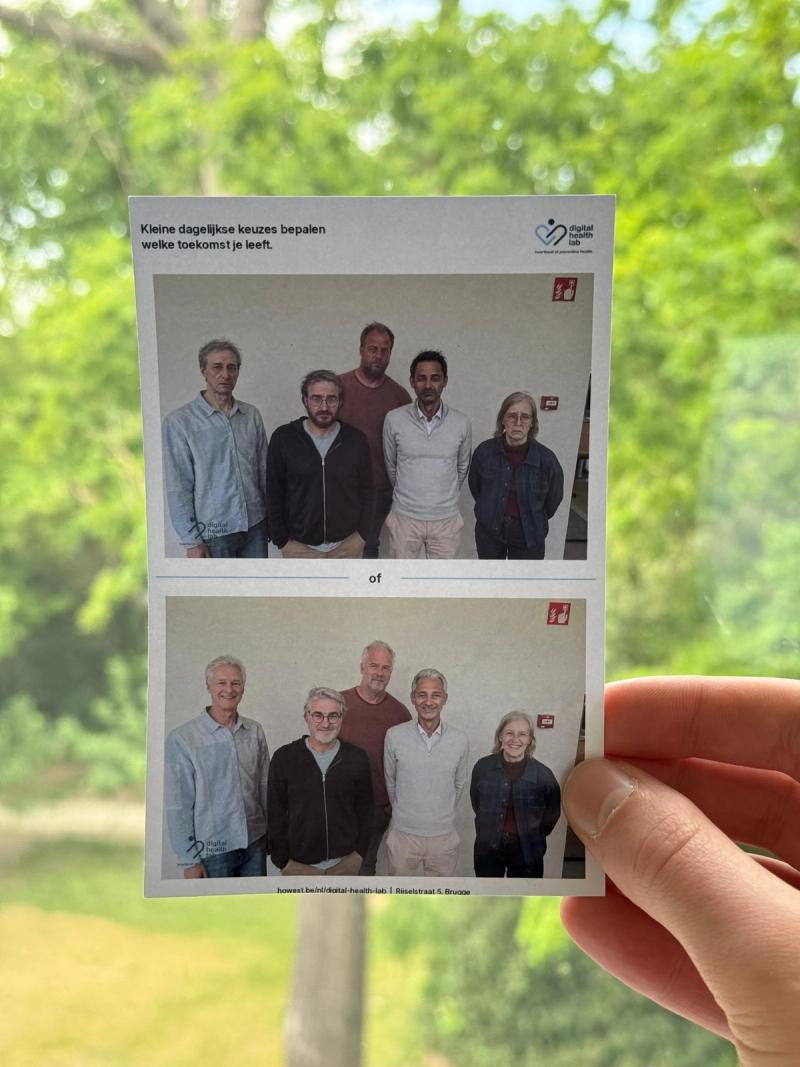
Visitors like to take something physical to take home. So the booth also prints. A small dye-sub photo printer sitting next to the laptop produces a 10x15 cm print of the same two-portrait composite, on demand.
The print path is engineered to be invisible: a hidden iframe pre-loads the print layout, posts a print-ready message to the parent window when its image is decoded, and the print dialog fires in place when someone hits the button. No popups, no tab-switching, no losing focus mid-flow. After the dialog closes, focus is explicitly returned to the main window. That sounds trivial, but it matters for the next thing.
Standalone, with Stream Deck
The booth runs unattended. There is a kiosk laptop, a webcam, a photo printer, and an Elgato Stream Deck on the table. The Stream Deck is bound to six global hotkeys the app listens for.
This is the part that turns a web app into an installation. A visitor does not need to know what a button on a screen does: a host, or the visitor if they are curious, presses a physical, labelled key. Take photo. Print. Start over. The Stream Deck's per-key LCDs make the booth feel like a piece of hardware rather than a webpage, and they let a single staff member run the whole queue from across the room.
Bottom section
What we are actually measuring
The booth is part of a larger research line at the Digital Health Lab on behaviour-change interfaces: installations and tools that nudge people toward healthier choices without moralising at them. Jouw Toekomst is a probe more than a product: a way to find out whether a thirty-second confrontation with a plausible future self does more for sun protection, sleep, and movement awareness than the equivalent thirty seconds of conventional health communication. The early signal at the opening was promising. People did not just laugh and walk away, though they laughed, and they should. That was the goal.
Contributors
Researchers
/
Cesar De Greve, Creative Technologist
Want to know more about our team?
Visit the team page
Last updated on: 5/12/2026
/